Email & SMS marketing
Email marketing for small business, plus opt-in texts
Esplanda writes welcome, win-back, birthday and new-arrival messages from your own products and prices, and texts only customers who opted in.
Esplanda POS and your website are free to start, with no card needed. Add paid tools only when you want them. See how Esplanda works.
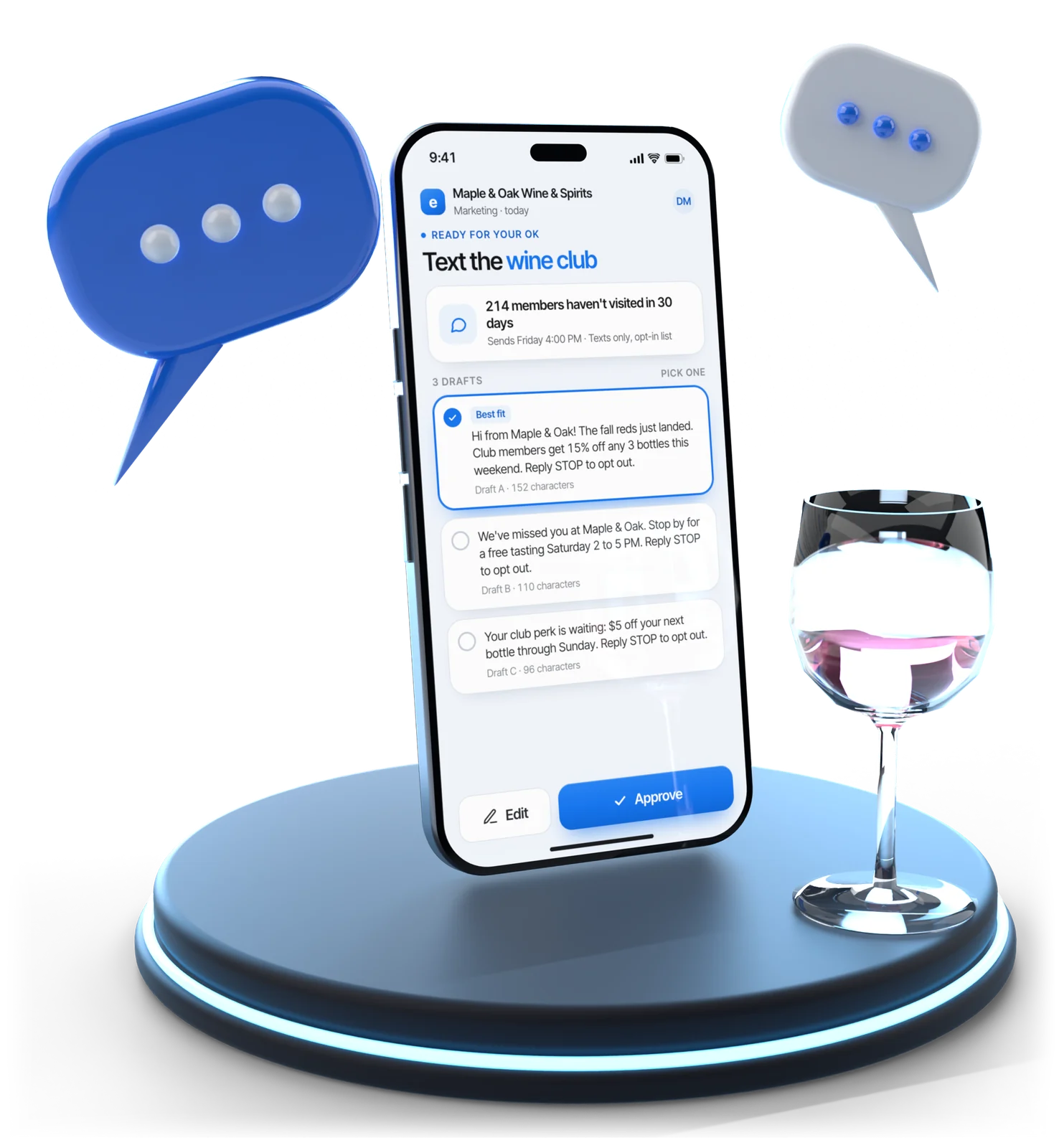
Illustrative example
What it sends
The messages it sends, and when
Every message is written from real items, today's prices and what's in stock, and low-stock items are left out. It sends from the same customer list as your register.
Welcome
A reason to come back, tied to what they bought.
After a first visit or orderWin-back
An offer inside your discount ceiling, when a regular goes quiet.
Past their usual gapBirthday
A note with an offer you set once.
On the dayNew arrivals
Wine buyers hear about new wine, sneaker buyers about sneakers. Not a store-wide blast.
To buyers of that categoryPickup and same-day texts
An order ready for pickup, a limited allocation, a same-day offer.
When it's time-boundReview requests
Everyone asked the same way; unhappy customers aren't filtered out. See our review management software.
After a visit
Same list as your register. Keep the register you have through our POS integrations, or use ours: the POS system with inventory management records each purchase to the right customer.
Planned and measured in profit. Campaigns are planned in our marketing automation for small business and scored against customers held back, not by opens. See how we measure results.
Members included. Points and gift-card members are on the same list; see our customer loyalty software.
Choosing the channel
Email or text, and when to use each
Text marketing for small business works best for short, time-bound messages. Email is for anything that needs pictures or explaining. A text costs money per message and uses up goodwill much faster.
| The question | Text message (SMS) | |
|---|---|---|
| Best for | New arrivals, several items, pictures, explaining | Same-day offers, pickup notices, limited allocations |
| When it's read | Within hours or days | Usually within minutes |
| Cost per message | Close to nothing | A carrier fee on every message |
| What the rules expect (basics) | An unsubscribe link and your store’s postal address in every email, and accurate from and subject lines | The customer's prior express written consent, recorded, before any marketing text |
| How often | Weekly suits most local stores | Far less often than email |
| What goes wrong | Quietly ignored, then filtered to spam | An opt-out, and you rarely win them back |
Each campaign waits for your approval, and the welcome, win-back and birthday messages you switch on go out inside the limits you set once: discount ceiling, contact frequency, quiet hours, consent and suppression. Email and text sending is part of the Marketing — Do It Yourself line, with 25,000 emails and 1,000 text segments a month; see what it costs on Esplanda pricing.
Getting started
How to start email marketing for your small business
Five steps take a store from no list at all to email measured in profit. Esplanda writes each message; campaigns go out once you approve, and the messages you switch on run inside the limits you set.
Build the list at the counter and checkout
Ask for an email at the register, at online checkout or on a form, and keep the consent with it. Esplanda keeps one customer list for the register and the website, so every purchase lands on the right person.
Start with a welcome message
The first email after a first visit or order gives a reason to come back, tied to what they bought. Esplanda writes it from your own products and prices.
Add win-back, birthday and arrival emails
Win-back for regulars gone quiet, a birthday note, new arrivals for the customers who buy that category and a review request after the sale, each triggered by real purchases.
Set your limits once
How often one customer may hear from you, the hours messages may go out and the deepest discount an offer may carry. Every send is checked against them.
Judge each email on profit, not opens
A matched group is held back from every send, so you see what the email earned, less the cost of sending, and keep what pays.
SMS rules
SMS marketing for small business, opt-in only
Text message marketing for small business in the United States comes with basics: the customer's prior express written consent before any marketing text, a way to opt out in every message, and sending only at reasonable hours in the customer's own time zone. Esplanda is built to keep you inside those basics and to keep the record.
- Opt-in only. Consent is captured where it's given, at the counter, at online checkout or on a form, and saved with the time, the wording shown and where it came from. No consent, no marketing text.
- STOP means stop. Every text says how to opt out. STOP, UNSUBSCRIBE, CANCEL, END and QUIT are honored at once, and the number comes off every future campaign, not just the one that prompted it.
- Quiet hours. Texts go out only in the hours you allow, judged in the customer's local time. The common federal window is 8am to 9pm and some states are stricter, so Esplanda holds a text until the window opens.
- The record. Consent, message and delivery are kept, so a complaint can be answered with a record rather than a memory.
Texting rules come from the federal TCPA, state laws and carrier rules. Esplanda keeps your consent, message and delivery record together, ready when a question comes up.
Every send is checked against your discount ceiling, contact frequency, quiet hours, consent and suppression list, and you can switch to approve-everything mode at any time. Read why Esplanda is safe to trust.
Illustrative example
Deliverability
Emails that land in the inbox
When marketing email goes to spam, it's usually one of three things: a sending domain that was never authenticated, addresses that never open, or a sudden jump in volume from a new sender.
- Domain set up. Esplanda handles the authentication setup for your sending domain, so mail arrives verified as coming from your store.
- Dead addresses dropped. Addresses that bounce or never engage are suppressed automatically.
- Volume warmed up. New sending volume grows gradually instead of all at once.
- Frequency watched. People stop opening long before they unsubscribe. Esplanda watches engagement by group and slows down where results turn negative.
Questions
Email and SMS questions owners ask
Should I use email marketing for my small business?
Yes, if your customers come back. An email costs close to nothing to send and reaches people who already know your store, so a welcome, a win-back and a new-arrivals note give regulars a reason to come back between visits. Esplanda sends from the same customer list as your register, so there is no separate email tool to keep in sync.
How do I start email marketing for a small business?
Collect emails with consent at the register and at checkout, send a welcome message, then add automatic win-back, birthday and new-arrival emails. Set how often one customer may hear from you, and judge each email on the profit it brought in, not the opens. Esplanda writes each of those messages from your own products and prices.
Should my small business send an email or a text?
Text for short, time-bound messages: a same-day offer, a pickup notice, an allocation that will be gone by Friday. Email for anything with pictures, several items or explaining. Texts cost money per message and use up goodwill faster, so save them for messages worth interrupting someone for.
Do I need permission before I text my customers?
Yes. Marketing texts in the United States require the customer's prior express written consent, and you need to be able to show when and how it was given. Esplanda captures consent where it happens and keeps a timestamped record with the wording shown, and every marketing text is checked against that record before it goes out.
How does Esplanda handle SMS opt-outs?
Every marketing text carries opt-out instructions. Replies such as STOP, UNSUBSCRIBE, CANCEL, END and QUIT are honored automatically and immediately, and the number is removed from every future campaign, not just the one that prompted the reply.
What are quiet hours for marketing texts?
Quiet hours are the times marketing texts may not be sent, judged in the customer's local time zone, not yours. The common federal window is 8am to 9pm local time, and some states are stricter. Esplanda holds a text until the window opens.
Why do my marketing emails go to spam?
Usually one of three reasons: a sending domain that isn't authenticated, addresses that never open, or a sudden jump in volume. Esplanda handles the domain setup, drops dead addresses automatically and raises new sending volume gradually.
How much does email and SMS marketing cost with Esplanda?
Email and text sending is part of the Marketing — Do It Yourself line, alongside campaigns, social posts and ads, and each month includes 25,000 emails and 1,000 text segments. Esplanda POS is free, and you add only the paid tools you want, with no setup fee, no contract and no per-user fees. Current prices for every line are on Esplanda pricing.
Send the right message to the right regulars
Start free today, or book a demo and we'll walk through a welcome, win-back and birthday setup for a store like yours.
Esplanda POS and your website are free to start, with no card needed. Add paid tools only when you want them.