POS data migration
Free POS data migration: switch without retyping a thing
We move your products with costs and barcodes, customers, order history and suppliers, and you check it all before it goes live.
- Every kind of data assessed in writing, before you sign
- Cutover is one button, and so is rollback
Moves from City Hive, BottleCapps, Spirits 2000, mPower, Square, Clover, Lightspeed Retail, Lightspeed X-Series, Toast, KORONA, Shopify, WooCommerce and spreadsheets.
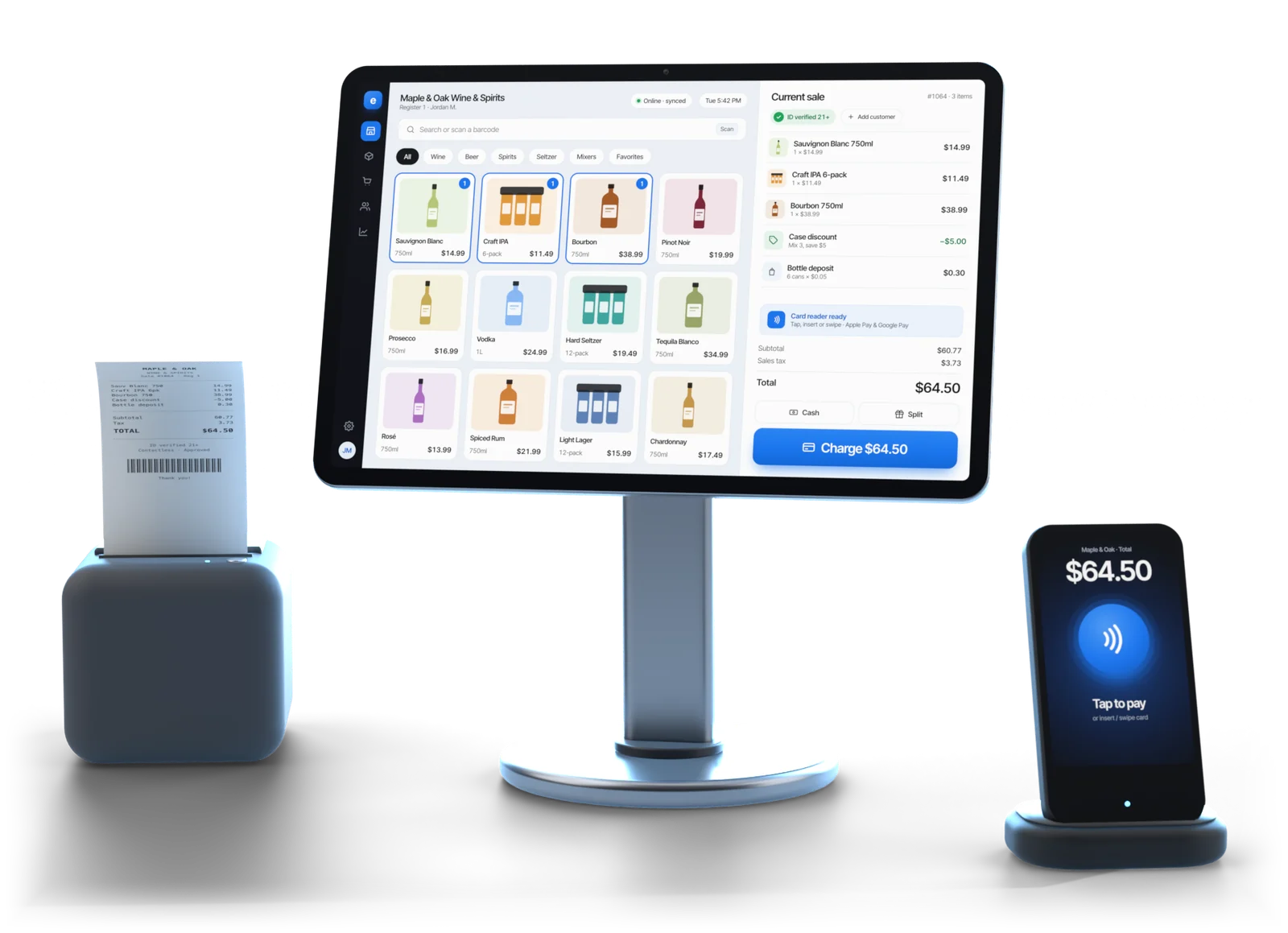
Illustrative example
Before you sign
Know exactly what moves, in writing
You see what moves, by which path and how sure Esplanda is, before you commit.
- Every old system keeps something. A notes field with no export path, a history that only goes back so far, rules stored in a shape nobody outside that vendor can read.
- Anything the old system holds back is named first. The assessment writes it down, it's frozen when you sign, and cutover waits for your OK on it. Anything found after cutover that wasn't on the list is treated as a defect and reviewed, not filed as a support ticket.
- Missing values are flagged, never filled in. A zero cost quietly imported becomes an infinite margin in every report you run afterwards. Missing costs, missing barcodes and unreadable sizes arrive as a list to fix, with the items that actually sell at the top.
Illustrative example
The switching assessment, before you sign anything
It runs on a first call, in minutes, from your storefront address and the name of your register. Esplanda reads what your site publishes, identifies the system behind it, counts your published products and indexed URLs, and returns one row for each kind of data.
| Column | What it tells you |
|---|---|
| Kind of data | Products, costs and barcodes, categories, stock on hand, customers, order history, loyalty, gift cards, suppliers, purchase orders, website URLs, images |
| Estimated volume | How many records, counted from what your site publishes rather than guessed from your sales |
| Confidence | High, medium or low: how sure Esplanda is that this data can be extracted intact |
| Path | Self-serve export, a documented interface, a database extract requested from the vendor, a file drop, or none |
| Realistic time | A range in business days for that path, including the old vendor's own turnaround where one is involved |
| Held back | Every field the old system keeps to itself, named with the reason |
Real paths only
Where a system has no export, the assessment lists the routes that work for it: a vendor extract, a file drop or a spreadsheet.
Real timings
Where the slow step is a request sitting on another vendor's desk, the estimate includes that vendor's turnaround.
Staging
The staging preview, and the queue you clear on your phone
The entire import runs into staging first. Nothing touches your live business, and you inspect the result before you decide.
- Records land untouched. What the old system gave is kept word for word next to the cleaned-up version, so a question about any single record is answered by looking at what actually arrived.
- Sizes fold into one. A fifth, 750, 750ml, 750 ML, .75L and 75CL are the same bottle written six ways. They become one unit before anything is matched.
- Products match in four tiers. Barcode first, then supplier code, then name with size and pack, then a close-match tier that only accepts above a fixed threshold. Anything below it is held, not guessed.
- Held items wait on your phone. One decision per card, both records on screen, no keyboard needed: something you clear at the register between customers.
The reconciliation report is the decision point: for each kind of data, the records in, matched and rejected, with a plain-English reason on every rejection. Accept it or send it back. A dry run can be re-run as often as it takes, and discarding one costs nothing.
Your website
Your old links keep working
Your website moves too, to the online store in Esplanda's POS with online ordering. Every old URL gets a 301 redirect to its new home, and then someone watches for thirty days.
Redirects done properly
Chains are collapsed before publishing, so no visitor or search engine takes two hops. A redirect with nowhere valid to point is never published; it's fixed first. The new sitemap goes in at cutover.
Thirty days of watching
Search performance is compared daily with your own baseline from before cutover. If a group of URLs starts losing impressions, Esplanda names them, adds the missing redirects and tells you.
The old system runs alongside
Read-only, for 30 days, at no charge. Its orders are pulled nightly and compared with Esplanda's, so an order placed on the old site from a cached page is caught, reconciled and given one more redirect.
More on how local search works in our local SEO software.
Go-live
Cutover, and the button that undoes it
A switch runs in seven stages, and nothing reaches your live business before stage six.
Run the switching assessment
What moves, how sure Esplanda is, by which path and how long, with anything the old system holds back named.
Sign off the assessment
The assessment is frozen when you sign, and cutover waits for your OK on it.
Connect the sources or drop the files
An export or interface with your own credentials; otherwise a vendor extract, a file drop or a spreadsheet with column mapping.
Match the products and clear the queue
Barcode, supplier code, then name with size and pack. Anything uncertain waits on your phone.
Inspect the dry run
Records in, matched and rejected, with a reason for every rejection. Your live business is untouched.
Cut over
At an agreed time: freeze, pull what changed since the dry run, go live, publish the redirects, resubmit the sitemap, unfreeze.
Watch the thirty days after
Redirects checked daily against search data, while the old system runs read-only for 30 days and stray orders are caught.
One button back
If cutover goes wrong, rollback restores your store to its state before cutover and leaves nothing behind: no orphaned products, no half-linked customers, no redirects pointing at a catalog that's no longer live. A failed cutover costs you a morning, not a business.
Gift cards get their own gate
They're money, so balances go into a liability register and stay frozen, with nothing redeemed against an unchecked number, until you've matched the total to your own books and released them.
Your data stays yours
You can export all of your data, any time — products, customers, sales, purchase orders, suppliers. If you leave, you take everything. See why Esplanda is safe to trust.
Sources
Which systems, and what a split stack means
There are adapters for thirteen paths. A split stack, one system for the website and another at the register, is the normal case, not the exception.
| Kind of system | Sources | Usually the best source of |
|---|---|---|
| Liquor and beverage systems | City Hive, BottleCapps, Spirits 2000 from Atlantic Systems, mPower | The published catalog, customers, order history and URLs on the web side; costs, barcodes and stock on the register side |
| General registers | Square, Clover, Lightspeed Retail, Lightspeed X-Series, Toast, KORONA | Costs, barcodes, stock on hand, suppliers and purchase-order history |
| Web storefronts | Shopify, WooCommerce | Catalog, categories, customers, order history, pages, URLs and images |
| Anything else | A spreadsheet or CSV with column mapping, a vendor database extract, or a file drop | Whatever the system will part with; the assessment says which path applies |
The two halves, joined
Plenty of liquor stores run the website on one system and the register on another, and the two halves have never agreed. The catalog from the web side and the costs from the register side are joined on barcode first, and that join produces the review queue. It's also when most owners find out how many products have carried two names for years.
Want the whole store on one catalog afterwards? See the POS system with inventory management and what liquor store software has to get right. Would you rather keep the register you have and move nothing? That's supported too, through our POS integrations. Weighing your options? See Esplanda vs Toast, City Hive alternatives and BottleCapps alternatives.
Switching POS systems
Six common switching problems, and how each is handled
Lost data, mismatched stock, a closed register, broken links, gift card balances and new gear at the counter. Each one has its own step in an Esplanda migration.
Lost data
Anything the old system holds back is named in the written assessment before you sign, and cutover waits for your OK on it.
Mismatched stock
Sizes fold into one unit, products match on barcode, supplier code, then name with size and pack, and anything uncertain waits on your phone instead of being guessed.
A closed register
Cutover runs at an agreed time after a dry run you've inspected, and rollback is one button.
Broken links
Every old URL gets a 301 redirect, and search performance is checked daily for thirty days against your own baseline.
Gift card balances
Balances go into a liability register and stay frozen until you've matched the total to your own books and released them.
New gear at the counter
Esplanda POS runs on the Windows or Mac computer, printers, drawers and scanners you have. Fill only the gaps from the tested POS hardware list, bought once.
Scope
One clean move, with nothing left open
Migration moves your business in one direction and finishes at cutover, with no import tool left open behind it. Your payment data and your other vendors stay exactly where you put them.
| Area | How it's handled |
|---|---|
| A register you're keeping | Migration finishes at cutover, and the POS bridge keeps a register you keep connected from then on |
| Stored card credentials and payment tokens | Never touched, under any circumstances, by any adapter |
| Accounting ledgers and chart of accounts | Stay with your bookkeeper, and Esplanda hands them clean numbers: profit, costs and the sales tax you're holding |
| Payroll, employee records and schedules | Set up fresh in Esplanda's staff scheduling, which hands clean hours to the payroll provider you already use |
| Marketing results | Measured from your first campaign on Esplanda |
| Your contract with the old vendor | Yours to handle, on your timing. Esplanda won't touch your business relationship with another vendor |
| Sources you authorize | The only ones used. Where a screen-based extraction is used at all, it uses credentials you supply, is rate-limited, identifies itself, and is turned off for any source whose terms prohibit it |
- Migration$0
- Running both30 days
- Esplanda POS$0
- Extraction fee$0
Migration and 30 days of parallel running are free when you move your register to Esplanda POS, and aren't billed as a separate professional-services job. Esplanda POS and your website are free too. See Esplanda pricing.
Questions
POS data migration questions owners ask
Will I lose my data if I switch POS systems?
Your products with costs and barcodes, customers, order history, suppliers, purchase orders and website URLs move across. Anything the old system has no export path for is named in writing in the assessment, before you sign rather than after you switch. Stored card credentials and payment tokens are never touched by any adapter.
Which systems can Esplanda migrate from?
City Hive, BottleCapps, Spirits 2000 from Atlantic Systems, mPower, Square, Clover, Lightspeed Retail, Lightspeed X-Series, Toast, KORONA, Shopify and WooCommerce, plus a spreadsheet path with column mapping for anything else. Split stacks are normal: a web store on one system and a register on another are migrated together, with costs and barcodes from the register joined onto the web catalog.
My system has no export button. What then?
There are three other routes: a database extract requested in writing from the old vendor, which runs on that vendor's turnaround in days and sometimes carries its fee; a file drop of the exports the system already writes on its own schedule; and a spreadsheet with column mapping. The assessment tells you which applies, and how long it takes, before you commit.
How does the switch protect my Google rankings?
Every old URL gets a 301 redirect to its new home, redirect chains are collapsed so no link takes two hops, the sitemap is resubmitted, and search performance is checked daily for thirty days against your own baseline from before cutover. If a group of URLs starts losing impressions, Esplanda names them and adds the missing redirects.
What happens to my customer email list?
Every customer comes across, and every send respects consent. Most systems don't export the consent record, so imported customers land with their consent marked unknown and are held out of marketing sends until they opt in again. Where a source does export consent with its evidence, it comes across and those customers stay mailable.
What about gift cards and loyalty points?
Gift cards are money, so outstanding balances go into a liability register and stay frozen until you've checked the total against your own books and signed it off. Loyalty point balances come across where the old system stores them in a form that can be extracted. Earning rules the old system keeps to itself are set up again in Esplanda, and the assessment names them up front.
How long does a switch take, and how much of my time?
About two weeks for a system with a real export: assessed, extracted, matched, staged and cut over. Where the data has to be requested from the old vendor, the assessment adds that vendor’s turnaround and quotes the timeline as a range. Esplanda plans the switch around four hours or less of your own time, mostly clearing the match queue and pricing items that arrived without a cost.
What if cutover goes wrong?
One button puts you back. Rollback restores your store to its state before cutover, unpublishes the redirects and returns the migration to the dry run you already inspected, with no half-moved catalog, orphaned products or stale links left behind. Cutover itself can run twice and still produce one live catalog, and it records its own start and end times.
Find out what would actually move
Start free today, or book a demo and the switching assessment runs on the first call: what comes across, by which path and in how many days.
Esplanda POS and your website are free to start, with no card needed. No contract, no data-extraction fee, and no obligation to switch after the assessment.