
Esplanda POS
The register on every station, loyalty and gift cards, purchasing, forecasts, the migration and 30 days of parallel running.
$0 a month, with no card needed to start
Small business POS
Ring sales, count stock and keep selling when the internet drops, on the computer, tablet or phone you already have. Esplanda POS costs $0 a month.
Esplanda POS and your website are free to start, with no card needed. Add paid tools only when you want them. See Esplanda pricing.
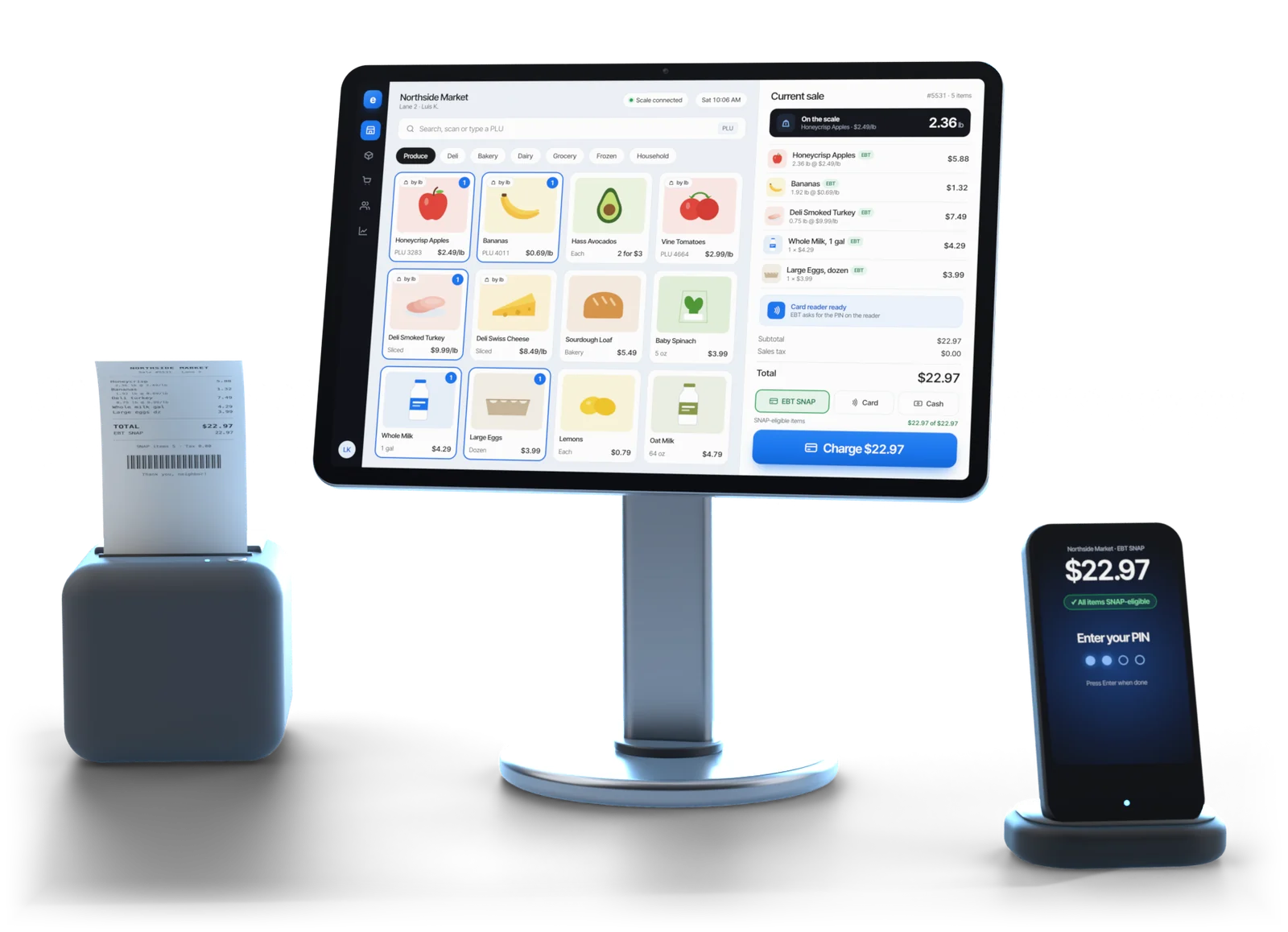
Illustrative example
In short
Esplanda POS is a small business POS system for independent stores and local businesses: liquor and wine, grocery and convenience, cafés and counter-service food, retail shops and service businesses. The register on every station, the migration from your old system and 30 days of parallel running cost $0.
It runs on the computer, tablet or phone you already have, or on tested hardware you buy once at list price. Card processing is optional, and every software price is the same on the processor you already use.
What it does
A point of sale system for a small business should ring the sale, keep the stock count right and tell you what to reorder. Esplanda POS does all three from one catalog.
A desktop app on the Windows or Mac computer at the counter, plus iOS and Android apps for the floor and the stockroom, all on one catalog.
Every sale comes off the same record your ordering and profit reports read. Nothing to reconcile at night.
ID scans, bottle and container deposits, case breaks and mix-and-match deals. Park a sale while a shopper keeps browsing, then recall it.
Points and gift card balances on the same customer record the register uses.
Purchase orders drafted from your own sales and invoices, with run-out warnings in time to act.
The daily report shows margin by item and category, not just a sales total.
How the sale, the stock count and the next order connect is on POS system with inventory management. Running a shop with seasons and markdowns? See the retail POS system.
01When the internet drops
A register that stops on a busy evening loses the whole line. Esplanda POS keeps the catalog, prices, tax rules and the day's sales on the machine at your counter, then syncs when the connection returns.
Power cuts and processor outages: see the offline POS system.
Buyer's checklist
Most point of sale systems for small business ring a sale. The best one fits how you sell and what you pay each month, so put these eight checks to any of them before you sign.
| What to check | Why it matters | Esplanda POS |
|---|---|---|
| The monthly software fee | A fee per register or per user grows with every station and hire | $0 a month, with no per-terminal fee and no per-user fees |
| The hardware it needs | Software tied to one box means buying that box, and replacing it when it fails | Runs on the computer, tablet or phone you have; tested hardware is optional and bought once |
| Selling offline | An outage at your busiest hour costs the queue, not one sale | Keeps ringing sales, receipts and ID scans, then syncs |
| One stock count | A register and a separate stock list drift apart from day one | Every sale updates the same record your ordering reads |
| The jobs your trade needs | Deposits, case breaks and age checks done by hand slow the line | ID scans, deposits, case breaks and mix-and-match, built in |
| Your choice of processor | A register that only works with one processor takes the rate decision away from you | Every software price is the same on the processor you already have |
| Switching cost | Retyping a catalog and a hard cutover day keep owners on a register they have outgrown | Free migration and 30 days of parallel running |
| Contract and your data | A long contract or a locked export makes leaving expensive | No contract; export all of your data, any time |
What it costs
The register is free, and so is email and chat support. Your website has free hosting, then 99¢ per online order, never more than $299 in a month. Paid tools start at $29.
The register on every station, loyalty and gift cards, purchasing, forecasts, the migration and 30 days of parallel running.
$0 a month, with no card needed to start
Use the gear you have, or buy the tested Volcora set once at list price and own it: terminals $739 to $1,099, cash drawers from $39.95. No lease and no monthly device fee.
Bought once or use your own device
Optional. Rates start at 2.79% + $0.10 in person and 2.89% + $0.30 online. Your rate is set when First American approves your account, from your current statement.
Optional the software price stays the same
No setup fee · No contract · No per-user fees · Every line on Esplanda pricing
Esplanda processes card payments as a reseller for First American Payment Systems, a Deluxe company, which approves, funds and owns your merchant account. Everything that comes free is listed on the free POS system page.
Switching
The worry with a new register is the day the old one goes. So the move is free, and the two run side by side first.
Products with costs and barcodes, customers, sales history, purchase orders and suppliers come across from your old system. Missing costs arrive as a list to fix, never guessed. See POS data migration.
Your old register keeps running alongside Esplanda, and the two are compared every night. Staff learn the new one before the old one goes.
Standard printers, cash drawers, scanners and ID readers stay on the counter. Fill only the gaps from the tested POS hardware list, bought once.
Built for
A POS for small business that sells at a counter: ring the sale, check the ID and count the stock in one system.
Running a kitchen or bar? See our restaurant inventory software.
Questions
The one that fits how you sell and what you pay each month. Check the monthly fee, the hardware, offline selling, one stock count, your choice of processor, switching and the contract. Esplanda POS costs $0 a month, runs on your own devices, keeps selling offline, moves your data free and has no contract.
Esplanda POS costs $0 a month, with no setup fee, no contract and no per-user fees. The migration, 30 days of parallel running and email and chat support are free too. Paid tools start at $29, and you add one only when you want it.
No. Esplanda POS runs on the computer, tablet or phone you already have, with standard printers, cash drawers, scanners and ID readers. If you want a dedicated counter setup, you buy the tested hardware once at list price, never leased: a Volcora terminal is $739 to $1,099 and a cash drawer starts at $39.95.
Yes. The catalog, prices, tax rules and the day's sales live on the machine at the counter, so staff keep ringing sales, printing receipts, opening the drawer and scanning IDs. Live reports catch up when the connection returns, and card approvals follow your terminal's offline rules.
No. Payments are optional: Esplanda POS runs on the processor you already have, at the same $0. If you process with Esplanda, rates start at 2.79% + $0.10 in person and 2.89% + $0.30 online, through First American Payment Systems, a Deluxe company, which approves, funds and owns your merchant account. Your rate is set when First American approves your account, from your current statement.
Migration is free: products, customers, sales history, purchase orders and suppliers come across from your old system. Then your old register keeps running alongside Esplanda for 30 days, and the two are compared every night, so there is no cutover day and your staff learn the new register before the old one goes.
You keep it. You can export all of your data at any time: products, customers, sales, purchase orders and suppliers. There is no contract and no early termination fee.
Start free today, or book a demo and we'll walk through Esplanda POS on a business like yours: the devices you already have, what moves across and the 30 days side by side.
Esplanda POS and your website are free to start, with no card needed. Add paid tools only when you want them.